
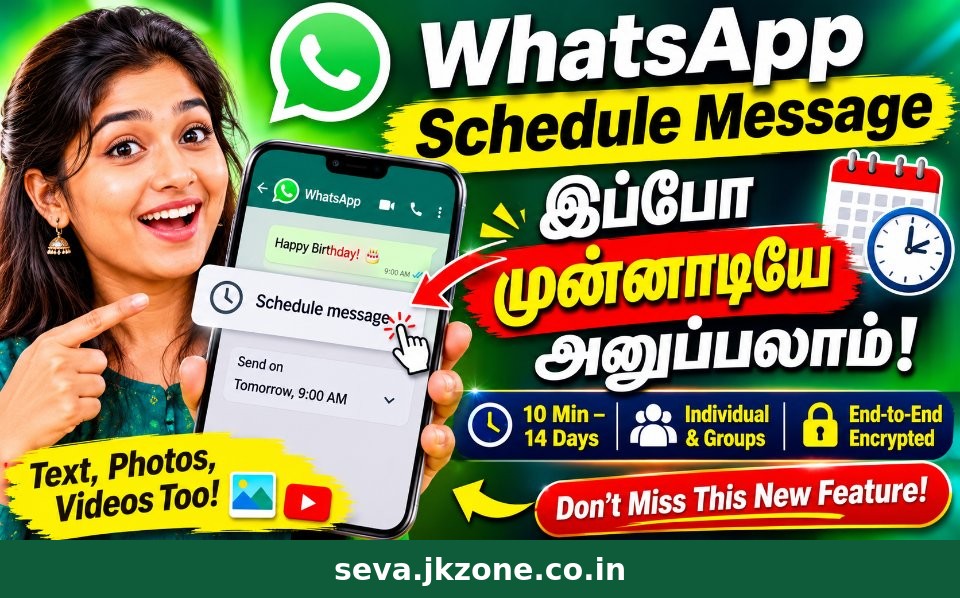
WhatsApp now lets you schedule messages from 10 minutes to 14 days ahead, in individual and group chats, with text, photos or videos. Sends even if your phone is off.வாட்ஸ்அப் புதிய வசதி: செய்தியை 10 நிமிடம் முதல் 14 நாள் வரை முன்கூட்டியே திட்டமிடலாம். தனி மற்றும் குழு அரட்டைகளில், உரை, படம், வீடியோ. போன் ஆஃப் ஆனாலும் செல்லும்.
You no longer have to send a WhatsApp message the moment you type it. You can now schedule it in advance — from 10 minutes to 14 days ahead. It works in both individual chats and group chats.
At a glance
| Item | Detail |
|---|---|
| Feature | Schedule Message |
| How far ahead | 10 minutes to 14 days |
| Where | Individual and group chats |
| What you can send | Text, photos and videos |
| Security | End-to-End Encrypted |
| Availability | Rolling out worldwide over the coming weeks |
Three things that matter
- It sends even if your phone is off. If you are offline or your battery is dead at the scheduled time, the message still goes out.
- It stays encrypted. Scheduled messages carry the same End-to-End Encryption as normal messages — not even WhatsApp can read them.
- Not just text. You can schedule photos and videos too — birthday wishes, reminders, business announcements, prepared in advance.
When do you get it?
This is not arriving for everyone on the same day. It is being released gradually across the world over the coming weeks. To check whether your phone has it:
- Update WhatsApp from the Play Store or App Store.
- Open a chat and type a message.
- Press and hold the send button — if you see “Schedule message”, the feature has reached you.
If it is not there yet, that is normal. The rollout is staged, so it may take a few days.
Frequently asked questions
1. How far ahead can I schedule?
A minimum of 10 minutes and a maximum of 14 days.
2. Will it send if my phone is switched off?
Yes. The message is delivered at the scheduled time even if your phone is off.
3. Can I schedule in a group?
Yes — both individual and group chats are supported.
4. Can I edit or cancel it before it sends?
Check this on your own version once the feature arrives; the option set can vary by release.
In short
Need a reminder to go out at midnight? Type it now, set the time, and forget it. WhatsApp has quietly become a reminder tool too.
Source
- WhatsApp announcement — Scheduled Messages (news report, 26 November 2026)
வாட்ஸ்அப்பில் இனி செய்தியை உடனே அனுப்ப வேண்டியதில்லை. முன்கூட்டியே நேரத்தைக் குறித்து வைக்கலாம் — 10 நிமிடங்கள் முதல் 14 நாட்கள் வரை. தனிப்பட்ட அரட்டை மற்றும் குழு அரட்டை இரண்டிலும் இந்த வசதி வேலை செய்யும்.
ஒரு பார்வையில்
| விவரம் | தகவல் |
|---|---|
| வசதி | Schedule Message — திட்டமிட்ட செய்தி |
| எவ்வளவு முன்பு | 10 நிமிடங்கள் முதல் 14 நாட்கள் வரை |
| எங்கே | தனிப்பட்ட மற்றும் குழு அரட்டைகள் |
| என்ன அனுப்பலாம் | உரை, புகைப்படம், வீடியோ |
| பாதுகாப்பு | End-to-End என்க்ரிப்ஷன் |
| எப்போது கிடைக்கும் | உலகம் முழுவதும் அடுத்த சில வாரங்களில் படிப்படியாக |
மூன்று முக்கிய விஷயங்கள்
- போன் ஆஃப் ஆனாலும் செல்லும். திட்டமிட்ட நேரத்தில் நீங்கள் ஆன்லைனில் இல்லாவிட்டாலும், போன் சார்ஜில் இல்லாவிட்டாலும் செய்தி அனுப்பப்படும்.
- எல்லாமே என்க்ரிப்ட். திட்டமிட்ட செய்திகளும் சாதாரண செய்திகளைப் போலவே End-to-End என்க்ரிப்ஷனுடன் அனுப்பப்படும் — வாட்ஸ்அப்பிற்கே படிக்க முடியாது.
- உரை மட்டுமல்ல. புகைப்படம், வீடியோ ஆகியவற்றையும் திட்டமிடலாம். பிறந்தநாள் வாழ்த்து, நினைவூட்டல், வணிக அறிவிப்பு — எல்லாம் முன்கூட்டியே தயார் செய்யலாம்.
எப்போது கிடைக்கும், எப்படிப் பார்ப்பது?
இந்த வசதி அனைவருக்கும் ஒரே நாளில் வராது. உலகம் முழுவதும் அடுத்த சில வாரங்களில் படிப்படியாக வெளியிடப்படுகிறது. உங்கள் போனில் வந்துவிட்டதா எனப் பார்க்க:
- வாட்ஸ்அப்பை Play Store அல்லது App Store-ல் புதுப்பிக்கவும்.
- ஒரு அரட்டையைத் திறந்து செய்தி தட்டச்சு செய்யவும்.
- அனுப்பும் பொத்தானை அழுத்திப் பிடித்துப் பாருங்கள் — “Schedule message” தேர்வு தெரிந்தால் உங்களுக்கு வசதி வந்துவிட்டது.
தெரியவில்லை என்றால் கவலை வேண்டாம் — வெளியீடு படிப்படியாக நடப்பதால் சில நாட்கள் ஆகலாம்.
அடிக்கடி கேட்கப்படும் கேள்விகள்
1. முன்கூட்டியே எவ்வளவு நேரம் வரை குறிக்கலாம்?
குறைந்தபட்சம் 10 நிமிடங்கள், அதிகபட்சம் 14 நாட்கள்.
2. போன் ஆஃப் ஆனால் செய்தி போய்விடுமா?
ஆம். திட்டமிட்ட நேரத்தில் போன் ஆஃப் ஆக இருந்தாலும் செய்தி அனுப்பப்படும்.
3. குழுவில் அனுப்பலாமா?
தனிப்பட்ட அரட்டை மற்றும் குழு அரட்டை இரண்டிலும் அனுப்பலாம்.
4. அனுப்பிய பிறகு மாற்ற முடியுமா?
திட்டமிட்ட செய்தியை அனுப்பப்படும் முன் திருத்தவோ ரத்து செய்யவோ முடியுமா என்பதை உங்கள் போனில் உள்ள பதிப்பில் சரிபார்த்துக்கொள்ளுங்கள் — வசதி வெளியாகும்போது இந்த விவரங்கள் தெரியும்.
சுருக்கமாக
நள்ளிரவில் நினைவூட்டல் அனுப்ப வேண்டுமா? காலையில் மறந்துவிடாமல் இருக்க முன்கூட்டியே தட்டச்சு செய்து நேரத்தைக் குறியுங்கள். வாட்ஸ்அப் இப்போது உங்கள் நினைவூட்டல் கருவியாகவும் மாறுகிறது.
ஆதாரம்
- வாட்ஸ்அப் அறிவிப்பு — Scheduled Messages வசதி (26.11.2026 செய்தி அறிக்கை)
Commentsகருத்துகள்
No comments yet. Be the first to write one.இன்னும் கருத்துகள் இல்லை. முதலில் நீங்கள் எழுதுங்கள்.
This article is general information, not legal or financial advice. Rules and websites change, so check the official source before you act.இக்கட்டுரை பொதுத் தகவல் மட்டுமே; சட்ட அல்லது நிதி ஆலோசனை அல்ல. விதிகளும் இணையதளங்களும் மாறும்; செயல்படும் முன் அதிகாரப்பூர்வ மூலத்தைச் சரிபாருங்கள்.
More from the blogவலைப்பதிவில் மேலும்
- Tamil Nadu Voter List Special Camp 2026: November 29 – New Registration & Correctionதமிழகம் முழுவதும் வாக்காளர் பட்டியல் சிறப்பு முகாம் – நவம்பர் 29, 2026 | புதிய பெயர் சேர்க்கை, திருத்தம்
- Tamil Nadu Free Goat and Cow Scheme 2026 – 100% Subsidy for Womenதமிழக அரசின் வெற்றி மகளிர் ஆடு வளர்ப்புத் திட்டத்தின் கீழ் தகுதியுள்ள பெண்களுக்கு 5 ஆடுகள் அல்லது செம்மறி ஆடுகள் மற்றும் தனித் திட்டத்தின் கீழ் இலவச கறவை மாடு வ
- India Post Philately Passport 2026 – Launch Date, Locations & Detailsஇந்தியா போஸ்ட் Philately Passport 2026 – வெளியீட்டு தேதி மற்றும் கிடைக்கும் இடங்கள்