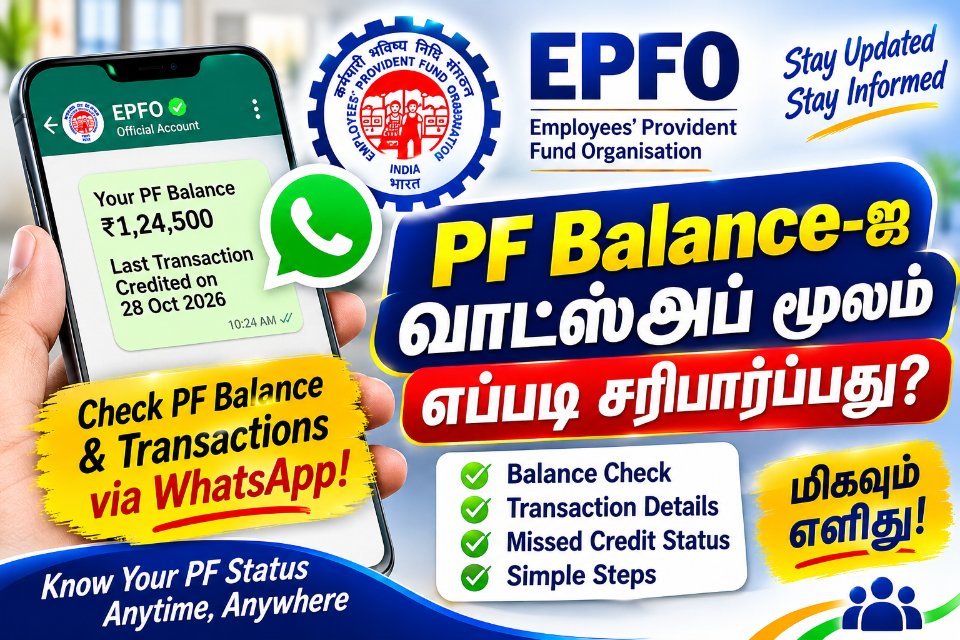
EPFO now lets you check your PF balance, last 5 transactions and passbook on WhatsApp. Here is the exact process, the safety tips and a backup plan.PF பேலன்ஸ், கடைசி 5 பரிவர்த்தனைகள், பாஸ்புக் ஆகியவற்றை இனி WhatsApp-இலேயே பார்க்கலாம். செய்முறை, பாதுகாப்பு குறிப்புகள், மாற்று வழிகள் இதோ.
⚡ The 30-second answer
Save EPFO's verified WhatsApp number +91 87964 41800, send Hi, pick your language and choose what you want: PF balance, last 5 transactions or passbook. No website login, no office visit.
Heads-up: the service is brand new and early users have reported errors and delays. Read the "If it does not work" section below so you are not stuck.
📌 Quick facts
| Item | Details |
|---|---|
| Launched by | Union Labour Minister Mansukh Mandaviya, at EPFO's 74th Foundation Day |
| Official number | +91 87964 41800 (EPFO's verified WhatsApp number) |
| What you can get | PF balance, last 5 transactions, passbook, guidance on PM Viksit Bharat Rozgar Yojana (PMVBRY) |
| Verification | OTP on your UAN-registered mobile number |
| Cost | No charge announced for the service |
🪜 How to check your PF balance on WhatsApp
- Save the number. Add +91 87964 41800 to your contacts as "EPFO".
- Say Hi. Open WhatsApp, find "EPFO" and send Hi. You can also use the QR code shared by EPFO to open the official chat.
- Choose your language. The welcome message lets you pick one.
- Pick a service. Choose PF balance, last 5 transactions or passbook.
- Verify with OTP. Enter the OTP sent to the mobile number registered with your UAN.
- Done. Your details arrive in the chat. For the passbook, download and save the file.
🧭 What each option gives you
| Option | You get | Best for |
|---|---|---|
| PF balance | Your latest balance | A quick check before a loan or job change |
| Last 5 transactions | Your five most recent entries | Confirming this month's employer contribution |
| Passbook | Passbook access or download | Full record, interest and contribution history |
| PMVBRY guidance | Personal help for employees completing the scheme's requirements | First-time job holders |
If you need a detailed account history, you may still need to open the complete passbook on the EPFO portal.
🛠️ If it does not work
Early users have reported errors after selecting the balance option, and some responses were delayed by a long time. EPFO has not explained the cause. Try this:
| Problem | What to try |
|---|---|
| No reply or slow reply | Wait a few minutes, then try again at a quieter time, such as early morning or late evening |
| Error after choosing a service | Send Hi again to restart the chat and repeat the steps |
| OTP does not arrive | Check that your mobile number is updated against your UAN |
| Still failing | Use the backup methods below |
🔁 Backup plan: other ways to check
- EPFO passbook portal: passbook.epfindia.gov.in (sign in with your UAN)
- EPFO member portal: unifiedportal-mem.epfindia.gov.in
- UMANG app: open EPFO services and choose View Passbook
🛡️ Stay safe: 4 rules
- Message only the verified number given by EPFO. Beware of look-alike numbers and fake "PF helpline" chats.
- Never share your OTP or password with anyone who calls or messages you.
- Do not click links from unknown senders claiming to release your PF.
- If something looks wrong, stop and use the official portal instead.
💡 Bonus: small inactive PF accounts
EPFO has also announced automatic settlement for eligible inoperative accounts with Aadhaar-verified details and balances of up to ₹1,000. Eligible members receive the money after the prescribed identity and bank account verification, without filing a claim. Around one lakh accounts, involving nearly ₹5 crore, are expected to benefit.
❓ Frequently asked questions
Do I need to know my UAN?
Keep it handy. Verification is done through the mobile number registered with your UAN.
Is the WhatsApp service official?
Yes, EPFO launched it through its verified WhatsApp number. Save only that number.
Can I check someone else's PF?
No. The OTP goes to the member's own registered mobile number.
Will it replace the EPFO portal?
Not completely. WhatsApp gives quick basics. Detailed history and other services remain on the portal and UMANG app.
My mobile number is not linked to UAN. What now?
Update it through your employer or the EPFO member portal first, then try again.
⚠️ This service is new and details may change. Confirm the latest information on the official EPFO website.
⚡ 30 விநாடிப் பதில்
EPFO-வின் சரிபார்க்கப்பட்ட WhatsApp எண் +91 87964 41800-ஐ சேமித்து, Hi என அனுப்புங்கள். மொழியைத் தேர்ந்தெடுத்து, PF பேலன்ஸ், கடைசி 5 பரிவர்த்தனைகள் அல்லது பாஸ்புக் என்பதில் வேண்டியதைத் தேர்வு செய்யுங்கள். வெப்சைட் உள்நுழைவு வேண்டாம், அலுவலகம் செல்லவும் வேண்டாம்.
கவனிக்க: இந்தச் சேவை புதியது. தொடக்கத்தில் சிலருக்குப் பிழைகளும், தாமதங்களும் ஏற்பட்டதாகச் செய்திகள் கூறுகின்றன. கீழே உள்ள "வேலை செய்யவில்லை என்றால்" பகுதியைப் படித்து வைத்துக்கொள்ளுங்கள்.
📌 முக்கிய தகவல்கள்
| விவரம் | தகவல் |
|---|---|
| தொடங்கி வைத்தவர் | மத்தியத் தொழிலாளர் நலத்துறை அமைச்சர் மன்சுக் மாண்டவியா (EPFO-வின் 74-வது நிறுவன நாள் விழாவில்) |
| அதிகாரப்பூர்வ எண் | +91 87964 41800 (EPFO-வின் சரிபார்க்கப்பட்ட WhatsApp எண்) |
| என்னென்ன கிடைக்கும் | PF பேலன்ஸ், கடைசி 5 பரிவர்த்தனைகள், பாஸ்புக், PM விக்சித் பாரத் ரோஜ்கார் யோஜனா (PMVBRY) வழிகாட்டுதல் |
| சரிபார்ப்பு | UAN-உடன் பதிவான மொபைல் எண்ணுக்கு வரும் OTP |
| கட்டணம் | இந்தச் சேவைக்குக் கட்டணம் அறிவிக்கப்படவில்லை |
🪜 WhatsApp-இல் PF பேலன்ஸ் பார்ப்பது எப்படி?
- எண்ணைச் சேமியுங்கள். +91 87964 41800-ஐ "EPFO" என்ற பெயரில் உங்கள் contacts-இல் சேருங்கள்.
- Hi அனுப்புங்கள். WhatsApp திறந்து "EPFO" சாட்டில் Hi என அனுப்புங்கள். EPFO பகிர்ந்துள்ள QR குறியீட்டைப் பயன்படுத்தியும் அதிகாரப்பூர்வ சாட்டைத் திறக்கலாம்.
- மொழியைத் தேர்ந்தெடுங்கள். வரவேற்புச் செய்தியில் மொழியைத் தேர்வு செய்யலாம்.
- சேவையைத் தேர்வு செய்யுங்கள். PF பேலன்ஸ், கடைசி 5 பரிவர்த்தனைகள் அல்லது பாஸ்புக்.
- OTP-யால் சரிபார்க்கவும். உங்கள் UAN-உடன் பதிவான மொபைல் எண்ணுக்கு வரும் OTP-ஐ உள்ளிடுங்கள்.
- முடிந்தது. விவரங்கள் சாட்டிலேயே வரும். பாஸ்புக் என்றால் கோப்பைப் பதிவிறக்கிச் சேமித்துக்கொள்ளுங்கள்.
🧭 ஒவ்வொரு தேர்வும் என்ன தரும்?
| தேர்வு | கிடைப்பது | யாருக்குப் பயன் |
|---|---|---|
| PF பேலன்ஸ் | உங்கள் சமீபத்திய இருப்புத் தொகை | கடன் வாங்கும் முன் அல்லது வேலை மாறும் முன் விரைவுச் சரிபார்ப்பு |
| கடைசி 5 பரிவர்த்தனைகள் | சமீபத்திய 5 பதிவுகள் | இந்த மாத முதலாளி பங்களிப்பு வந்ததா எனப் பார்க்க |
| பாஸ்புக் | பாஸ்புக் பார்வை / பதிவிறக்கம் | பங்களிப்பு, வட்டி முழு வரலாறு அறிய |
| PMVBRY வழிகாட்டுதல் | திட்டத் தேவைகளை நிறைவு செய்யும் ஊழியர்களுக்குத் தனிப்பட்ட உதவி | முதல்முறை வேலைக்குச் சேர்பவர்கள் |
முழுமையான கணக்கு வரலாறு தேவைப்பட்டால், EPFO தளத்தில் முழு பாஸ்புக்கைத் திறக்க வேண்டியிருக்கலாம்.
🛠️ வேலை செய்யவில்லை என்றால்
பேலன்ஸ் தேர்வைத் தேர்ந்தெடுத்ததும் பிழை வந்ததாகவும், சில பதில்கள் நீண்ட நேரம் தாமதமானதாகவும் தொடக்கப் பயனர்கள் தெரிவித்துள்ளனர். காரணத்தை EPFO இன்னும் விளக்கவில்லை. இவற்றை முயன்று பாருங்கள்:
| பிரச்சினை | என்ன செய்யலாம் |
|---|---|
| பதிலே இல்லை / தாமதம் | சில நிமிடம் காத்திருந்து, கூட்டம் குறைவான நேரத்தில் (அதிகாலை அல்லது இரவு) மீண்டும் முயலுங்கள் |
| சேவையைத் தேர்ந்தெடுத்ததும் பிழை | மீண்டும் Hi அனுப்பிப் புதிதாகத் தொடங்குங்கள் |
| OTP வரவில்லை | உங்கள் UAN-இல் மொபைல் எண் புதுப்பிக்கப்பட்டுள்ளதா எனப் பாருங்கள் |
| தொடர்ந்து தோல்வி | கீழுள்ள மாற்று வழிகளைப் பயன்படுத்துங்கள் |
🔁 மாற்று வழிகள்
- EPFO பாஸ்புக் தளம்: passbook.epfindia.gov.in (UAN மூலம் உள்நுழைய)
- EPFO உறுப்பினர் தளம்: unifiedportal-mem.epfindia.gov.in
- UMANG செயலி: EPFO சேவைகளைத் திறந்து View Passbook தேர்வு செய்யுங்கள்
🛡️ பாதுகாப்பாக இருங்கள்: 4 விதிகள்
- EPFO அறிவித்த சரிபார்க்கப்பட்ட எண்ணுக்கு மட்டுமே செய்தி அனுப்புங்கள். ஒத்த தோற்றமுள்ள எண்கள், போலி "PF உதவி" சாட்களை நம்பாதீர்கள்.
- அழைப்பவர், செய்தி அனுப்புபவர் யாராக இருந்தாலும் உங்கள் OTP, கடவுச்சொல்லை பகிராதீர்கள்.
- "PF பணம் விடுவிக்கப்படும்" என்று தெரியாதவர்கள் அனுப்பும் லிங்குகளைத் தொடாதீர்கள்.
- ஏதாவது சந்தேகமாக இருந்தால், நிறுத்திவிட்டு அதிகாரப்பூர்வத் தளத்தைப் பயன்படுத்துங்கள்.
💡 போனஸ்: செயலற்ற சிறு PF கணக்குகள்
ஆதார் சரிபார்க்கப்பட்ட விவரங்களுடன், ₹1,000 வரை இருப்பு உள்ள தகுதியான செயலற்ற கணக்குகளுக்குத் தானியங்கி தீர்வு முறையையும் EPFO அறிவித்துள்ளது. தகுதியுள்ளவர்கள் கோரிக்கை எதுவும் தாக்கல் செய்யாமல், அடையாளம், வங்கிக் கணக்குச் சரிபார்ப்புக்குப் பிறகு பணத்தைப் பெறுவார்கள். சுமார் ஒரு லட்சம் கணக்குகள், கிட்டத்தட்ட ₹5 கோடி இதனால் பயனடையும் என எதிர்பார்க்கப்படுகிறது.
❓ அடிக்கடி கேட்கப்படும் கேள்விகள்
UAN எண் தெரிந்திருக்க வேண்டுமா?
கையில் வைத்திருங்கள். உங்கள் UAN-உடன் பதிவான மொபைல் எண் வழியாகவே சரிபார்ப்பு நடக்கிறது.
இந்த WhatsApp சேவை அதிகாரப்பூர்வமானதா?
ஆம். EPFO தனது சரிபார்க்கப்பட்ட WhatsApp எண் மூலம் இதைத் தொடங்கியுள்ளது. அந்த எண்ணை மட்டுமே சேமியுங்கள்.
வேறொருவரின் PF-ஐப் பார்க்க முடியுமா?
முடியாது. OTP, உறுப்பினரின் பதிவு செய்யப்பட்ட மொபைல் எண்ணுக்கே செல்லும்.
இது EPFO தளத்தை முழுமையாக மாற்றிவிடுமா?
இல்லை. WhatsApp அடிப்படை விவரங்களை விரைவாகத் தரும். விரிவான வரலாறு, பிற சேவைகள் தளத்திலும் UMANG செயலியிலும் தொடரும்.
என் மொபைல் எண் UAN-உடன் இணைக்கப்படவில்லை. என்ன செய்வது?
முதலில் உங்கள் முதலாளி மூலமாகவோ EPFO உறுப்பினர் தளத்திலோ எண்ணைப் புதுப்பியுங்கள்; பிறகு மீண்டும் முயலுங்கள்.
Commentsகருத்துகள்
No comments yet. Be the first to write one.இன்னும் கருத்துகள் இல்லை. முதலில் நீங்கள் எழுதுங்கள்.
This article is general information, not legal or financial advice. Rules and websites change, so check the official source before you act.இக்கட்டுரை பொதுத் தகவல் மட்டுமே; சட்ட அல்லது நிதி ஆலோசனை அல்ல. விதிகளும் இணையதளங்களும் மாறும்; செயல்படும் முன் அதிகாரப்பூர்வ மூலத்தைச் சரிபாருங்கள்.
More from the blogவலைப்பதிவில் மேலும்
- Free Dhoti and Saree at Ration Shops: Distribution Has Begun for Deepavali 2026ரேஷன் கடைகளில் இலவச வேட்டி – சேலை: தீபாவளிக்கு விநியோகம் தொடங்கியது
- New Vehicle Insurance Rules from 15 December 2026: 4 Covers, What Is Mandatory and What You Can Skipடிசம்பர் 15 முதல் புதிய வாகனக் காப்பீடு விதிகள்: எது கட்டாயம், எதைத் தவிர்க்கலாம்?
- How to spot a fake government job messageபோலி அரசு வேலை செய்தியை அடையாளம் காண்பது எப்படி